Every lead is contactable
A public email or phone is the price of admission - dead rows never make the list.
Most "lead finders" hand you rows you then have to qualify and verify. Lead Outreach Agent is a B2B lead finder with a stricter definition of a lead: a business that publishes a usable contact route, comes with its public source, and includes a plain reason it matched your niche - so the list is ready to act on, not ready to clean.
Pay only for what you use · $1 = 100 credits · Credits never expire · Zero-result searches refunded
Review the actual search setup and result format before spending credits or starting a campaign.
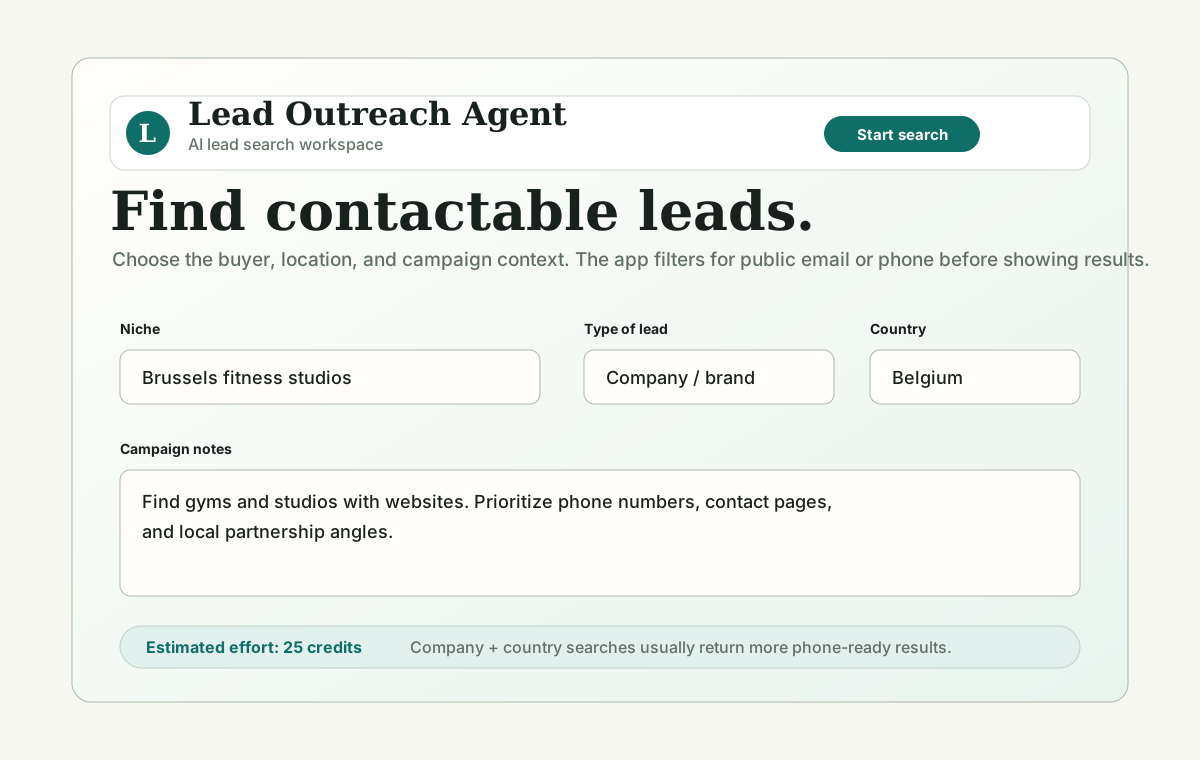
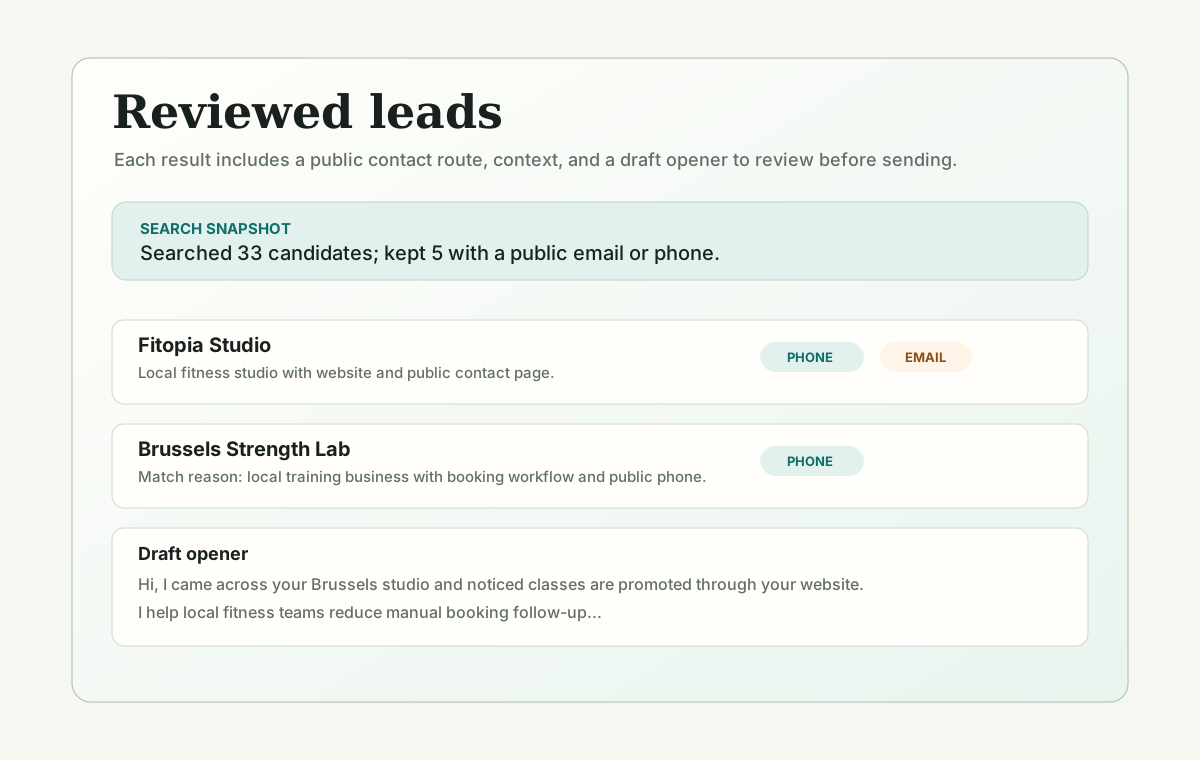
A public email or phone is the price of admission - dead rows never make the list.
See where each contact route was published so you can verify before you send.
Paste a public snippet into the contactable-lead checker to confirm a route is usable.
Use these findings as context, not promised results. Each source includes its sample or method and the limitation that matters when applying it.
Aggregated analyses put B2B contact-data decay at roughly 22.5-30% per year - about 2.1% per month - and as high as 70% at fast-moving tech companies, with job-title changes the single biggest driver.
Sales reps report spending almost one workday per week prospecting; 92% of sales professionals using AI agents say AI benefits prospecting.
B2B buyers use an average of ten channels during the purchasing journey, and market leaders are four times more likely to deploy true one-to-one personalization.
Results need a usable public email or phone number and enough source context for review.
Each result includes context to help you check why the lead fits before outreach.
Drafts remain editable and should be reviewed for accuracy, relevance, and compliance before sending.
The difference is what you have to do after the export. A stricter finder moves the cleanup work up front, into the search itself.
| Step | Typical lead list | Lead Outreach Agent finder |
|---|---|---|
| Contact route | Maybe present, often stale | Required and public, or not shown |
| Source | Aggregated, hard to trace | Linked per lead |
| Fit | You qualify after export | Match reason included |
| Bad data | You scrub it out | Filtered before you see it |
| First message | Write from scratch | Drafted from the match detail |
A finder is only useful if what it finds is reachable. Lead Outreach Agent will not show a business without a public email or phone, so you never scroll a list wondering which rows are dead ends. Each lead carries the source where its contact route was published, which makes outreach easy to justify and easy to verify before you send.
You describe the target in plain language - the industry, the geography, and any must-have signal like "offers group classes" or "lists a booking page." The finder keeps businesses that match and skips the ones that only look right on paper. Because you set the must-have, the output is a shortlist you would actually contact, not a broad category dump you have to re-filter.
Different businesses publish different routes. Local firms often list a phone before an email, so some results are phone-first. When a business publishes only a contact form, the finder says so rather than inventing an address. That honesty matters: a guessed email can pass a syntax check and still bounce, and stale data already drives 20-30% bounce rates on outdated lists.
Finding the lead is half the job. Lead Outreach Agent keeps the detail that made each business a match and drafts a first outreach email around it, so you open with something true and specific instead of a generic pitch. You edit every draft, add truthful sender details, and send from your own tools - the finder gets you to a ready-to-personalize starting point faster.
It fits agencies building client-acquisition lists, founders testing an ideal customer, local-service sellers, and anyone who would rather contact fifteen reviewed, reachable businesses than buy a thousand-row export. If you need enterprise-scale volume with CRM enrichment, a database platform is a better tool; if you need a clean, contactable shortlist, this is faster.
A good first search is narrow enough to judge. Pick one industry, one geography, and one must-have signal, then ask for about ten leads. Review each result the way a buyer of your service would: is the contact route real and public, does the source check out, and is the match reason something you could genuinely open a message with? Cut anything that only looks right on paper. If too many results are phone-first and you need email, tighten the niche or try an adjacent category. Ten reviewed, reachable businesses tell you whether the segment is worth scaling before you spend on a larger run.
It is a tool that discovers business leads that match a target profile. Lead Outreach Agent adds a stricter rule: it only returns businesses with a public, usable contact route, plus the source and a reason each fits, so the results are ready to contact.
Both, depending on what the business publishes. Local businesses often list a phone before an email, so some results are phone-first. When only a contact form is public, the finder labels it rather than guessing an address.
It shows only routes that appear in public context, skips placeholder and malformed patterns, and records the source. Because contact data decays quickly, checking live public sources at search time reduces stale results - though you should still verify before sending.
Yes. You set the niche, the geography, and a must-have signal, so the finder keeps only businesses that meet your brief instead of returning a broad category list you have to re-filter.
No. Enrichment appends fields to contacts you already have. This finds new, contactable leads from public sources and drafts a first message. The two can complement each other in a larger stack.
No. Public availability is not consent. You are responsible for a lawful basis, honest identification, and a working opt-out under your recipients' rules.
Start with one narrow search, review the contactability and match reasons, then use the related tools or benchmark pages to decide whether the niche is worth scaling.